Hello. I’m Song Junho from the Riiid backend team.
As we launched the U.S. stock investing learning guide app Vest Way in the global market, we introduced multilingual support. In this article, I’d like to share our experience adding multilingual support and the process of adopting
django-modeltranslation to implement it efficiently.
Why multilingual support is needed
Django basically provides multilingual support out of the box. However, because it operates based on translation data stored in local files in advance, it lacks flexibility.
Vest Way is a service that provides news from Bloomberg translated in real time by AI. On average, more than 60 news items are uploaded per day, and some videos are several hours long. Managing all such content’s subtitles, summaries, titles, and more in local files was inefficient.
Accordingly, we needed a more efficient multilingual support solution to improve development convenience and maintainability.
Why we chose django-modeltranslation
The criteria for selecting a library were as follows.
At the time of adoption, the goal was to expand a service that supported only Korean to include English, but in the long term there was also a possibility of adding other languages such as Japanese. Therefore, the most important criterion was that code changes would be minimized whenever a new language was added.
***As of the date this post was written (2025–03–13), Japanese is also supported.***
After reviewing several multilingual support libraries available in the Django ecosystem, we ultimately chose django-modeltranslation.
Applying django-modeltranslation
First, install django-modeltranslation in the project.
pip install django-modeltranslationAdd the following settings in settings.py.
INSTALLED_APPS = (
    ...
    'modeltranslation',
    'django.contrib.admin',  # optional
    ...
)

USE_I18N = True
MODELTRANSLATION_DEFAULT_LANGUAGE = 'ko'
MODELTRANSLATION_LANGUAGES = ("ko", "en")'django.contrib.admin'Requests for languages not included in MODELTRANSLATION_LANGUAGES are served in the default language (MODELTRANSLATION_DEFAULT_LANGUAGE).
Let’s take content as an example.

The original videos were all Bloomberg news in English. The translated Korean title and summary are stored.
Get Song Junho’s stories in your inbox
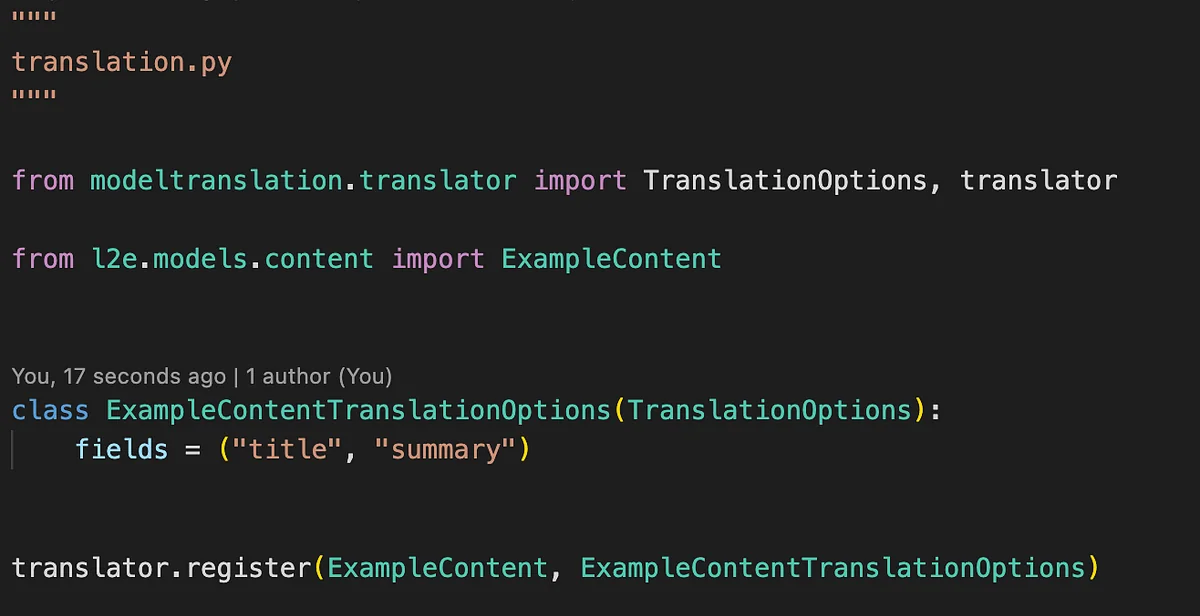
Add a translation.py file to the directory containing the models you want to support multilingual content.
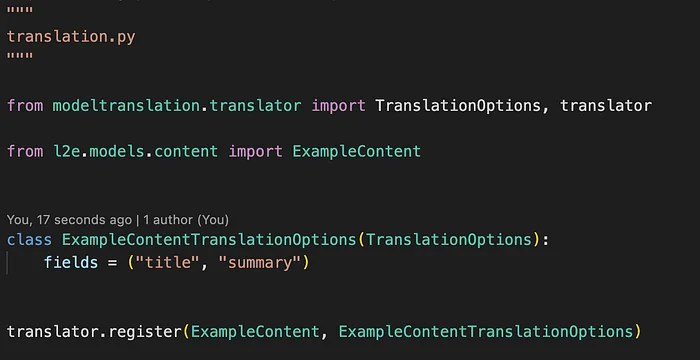
Now apply the migration.
python manage.py makemigrations
python manage.py migrate
When you run the migration, separate fields are created for each language,
and they are added with null=True.

Fields for each language can be created, queried, and filtered just like regular fields.
#Example
ExampleContent.objects.create(
   title_en="SpaceX's Rescue Mission", title_ko="스페이스X의 구조 임무"
)
ExampleContent.objects.filter(summary_en__contains="nvidia")
The biggest feature of Django-ModelTranslation is that it can automatically retrieve data in the appropriate language according to the detected language.
#Example

bloomberg_news = ExampleContent.objects.first()

#감지된 언어가 ko일 때
bloomberg_news.title # EU-남아프리카 정상회의에서 기대할 점

#감지된 언어가 ja일 때
bloomberg_news.title # EU-南アフリカ首脳会議から期待できること
Language detection in ModelTranslation works according to the following priority.
Accept-Language header included by the client’s browser in the requestUsing this approach, when a new language is added, code changes can be eliminated or reduced to a minimum.
Multilingual content management strategy
Filtering content by language
When adding Japanese support, we needed to think about how to manage existing Korean/English content. Realistically, translating all past content into Japanese is very difficult in terms of time and cost.
To solve this, we added a content filtering feature by language. This allows users to browse only content available in their desired language.
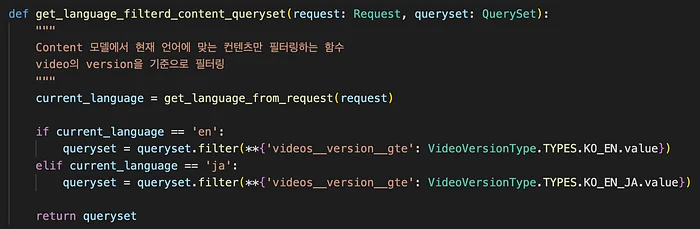
For Bloomberg video content, we always use the corresponding function to apply a language-specific filter to the queryset. Although it is a simple function, reliability is a key factor in a service that provides financial content. By using this filter, we can provide users with a consistent language environment, which in turn plays an important role in increasing the reliability of the service.
Preventing missing translations: fallback functionality
For example, when a Japanese user views content, the Japanese version of that content may be stored in the DB, but the actual translation may be missing.If blank text is exposed as-is in that case, it can not only degrade the user experience but also negatively affect the service’s reliability.
If there is content with a missing translation, instead of leaving that part blank,
it is handled by exposing fallback language data instead.
MODELTRANSLATION_FALLBACK_LANGUAGES = {
    'default': ('en',),
    'ja': ('en', 'ko'),
}
With this configuration:
en)ja) data, English (en) data is displayedko) data is displayedSpecifically, for data used identically across all languages, such as English brand names (e.g., AMD), you can store only the English version to prevent redundant data storage. This leads to the following expected effects.
Wrapping up
In this article, we introduced a multilingual support approach using django-modeltranslation in Django REST Framework. Through this, we were able to improve maintainability and minimize the burden of code changes when adding new languages.
django-modeltranslation also provides a variety of convenient features, and we plan to actively leverage them going forward to improve development productivity. In addition, since it is operated as an open-source project, we are also considering ways to contribute directly. In particular, we are thinking about how to solve the issue that ManyToManyField currently does not support fallback.
We hope this experience will be helpful to developers considering multilingual support, and if you have better approaches or suggestions for improvement, please share your thoughts!